Free EQ online, right in your browser
Free Online Equalizer: Parametric and Graphic EQ for Any Song
The online equalizer on AI-Mastering.org turns a muddy, thin or harsh song into the tone you want, in your browser, free. Use 8 parametric bands over a live spectrum or a 10-band graphic EQ, start from a preset, and A/B at matched loudness. Export WAV or MP3 320, no sign-up, nothing uploaded.
- Free, no sign-up
- 8 parametric bands or 10-band graphic
- Live spectrum, loudness-matched A/B
- WAV or MP3 320, peaks under -1 dBTP
- No upload, runs in your browser
Equalizer
Runs in your browserDrop a song to EQ it
Shape the tone on a live curve over the song's spectrum, compare with the original, then export WAV or MP3.
- WAV
- MP3
- FLAC
- M4A
- AAC
- OGG
- OPUS
- AIFF
Up to 200 MB and 15 minutes
Your song stays in your browser. The audio is never uploaded.
Or try a sample
Samples are AI-generated songs, turned down about 8 dB so boosts have room.
- parametric, each with its own Q
- 8bands
- graphic mode, 31 Hz to 16 kHz
- 10bands
- against the original, loudness matched
- A/B
- true-peak ceiling on export
- −1dBTP
- WAV 16 or 24-bit, MP3 320
- WAV, MP3
- of your audio uploaded
- 0bytes
A Parametric EQ Built for Songs
A full EQ editor, and a web sound equalizer that opens in a tab. Load any file into the online equalizer: audio from your DAW, a phone recording or an MP3, and use it as a music audio equalizer or a voice equalizer while it plays.
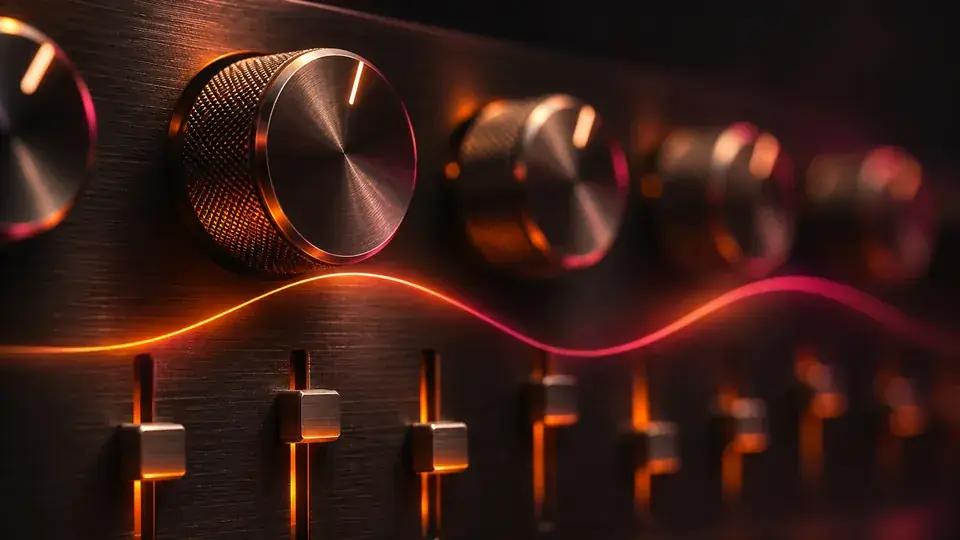
Up to 8 bands, each with a type, a frequency, a gain and a Q, drawn over the song's live spectrum, original in grey and EQ in orange. Drag a point for frequency and gain, scroll on it for width, or type exact numbers. Bell, Low shelf, High shelf, Low cut and High cut cover every job; a band can be switched off, or soloed to hear only its range.
Prefer sliders? The 10-band graphic EQ gives you fixed bands from 31 Hz to 16 kHz, ±12 dB each, and the curve passes exactly through every slider value. Flatten resets them all.
Presets loads one of eight starting curves into the equalizer: Vocal presence, Bass boost, Cut mud, Tame harshness, Warmth, Clarity, Air and Telephone. Suggest from my song compares your track with a neutral reference and proposes gentle corrective moves, a starting point you keep editing, with undo and redo.
Boosts sound better for a second because they are louder. Switch between Original and EQ while the song plays, with Match loudness on, so you judge the tone, not the volume; it changes the comparison only, never the export. Drag on the waveform to loop a section.
Export WAV 24-bit, WAV 16-bit or MP3 320, with an output gain or Match original loudness. On Auto, the true-peak limiter switches on by itself when a boost would push peaks past -1 dBTP, and the table shows loudness and true peak before and after, measured on the exact audio you export.
How it works
How to Use the Online Equalizer in 3 Steps
EQ audio online in three steps with this free online sound equalizer: no account, nothing to install, and the song never leaves your device.
Add your song
Drop a song into the equalizer: MP3, WAV, FLAC, M4A, AAC, OGG, OPUS or AIFF, or press Choose your track, or pick one under Or try a sample.
Shape it with bands or a preset
Open Presets for a start such as Bass boost or Cut mud, press Suggest from my song, or drag a numbered point. Graphic switches to 10 sliders.
Compare and export
Switch between Original and EQ with Match loudness on, then export WAV 24-bit, WAV 16-bit or MP3 320.




Good EQ is mostly small cuts. Compare at equal loudness.
- how far the 60 to 150 Hz band came down in the boomy lo-fi example
- 2.8dB
- how much its top band rose with the high shelf
- 1.4dB
- quieter afterwards, which is why the A/B matches loudness
- 2.3LU
Measured
Example: A Boomy Lo-Fi Mix Through the Audio EQ
One of the sample songs after Suggest from my song: four gentle moves, rendered and measured with the tool's own code.
Bass, 60 to 150 HzRainy Desk, after the four moves
−2.8dB
Mostly cuts so the song ends up 2.3 LU quieter; the A/B matches loudness before you judge
- Integrated
- −22.3LUFS
- True peak
- −8.4dBTP
- Low mids, 150-400 Hz
- −2.2dB
- Top, 12-20 kHz
- +1.4dB
It flagged the bass (60 to 150 Hz), the low mids, the mids and the top end (6 to 20 kHz), and proposed cuts of 3.2 dB at 100 Hz, 1.7 dB at 210 Hz and 1 dB at 600 Hz, plus a 1.5 dB high shelf at 7.5 kHz.
How we measured
Measured afterwards, the 60 to 150 Hz band came down 2.8 dB and the top band rose 1.4 dB. The moves are mostly cuts, so the song ends up 2.3 LU quieter, which is why the A/B matches loudness before you judge.
Guide
Music EQ Basics: Which Frequencies Do What
To equalize audio well, you mostly need to know roughly where things sit, whether you use a music equalizer online or in a studio. The ranges below are a starting point; your ears and the spectrum decide.
- 120 to 60 Hz, sub bass: felt more than heard. Too much eats headroom.
- 260 to 250 Hz, bass: the weight of the kick and the bass line, or boom when overdone.
- 3250 to 500 Hz, low mids: where mud and boxiness build up.
- 4500 Hz to 2 kHz, mids: the body of vocals, guitars and keys.
- 52 to 5 kHz, upper mids: presence and clarity, and harshness when pushed.
- 65 to 20 kHz, highs and air: detail, S sounds, cymbals and sparkle.
Good sound EQ often starts with a cut: a vocal that will not come forward usually has guitars crowding its range, and a small cut there clears space without raising the level. Every boost on an audio equalizer adds level and pushes peaks closer to the ceiling; on a full song, 1 to 3 dB is a lot.
Q sets how wide a band reaches. On a parametric EQ a high Q, such as 8, is a narrow notch for one ringing note; a low Q, such as 0.7, is a broad, gentle curve. Here a bell goes from 0.1 to 18.
Graphic EQs split the range into fixed bands, often 10 or 31, each with one slider. Parametric EQs work differently: a parametric equalizer puts a band at any frequency with the width and shape you choose: a bell for a range, a low or high shelf for warmth and air, a low or high cut at 12, 24 or 48 dB per octave for rumble and hiss. One well-placed band does what five sliders on a graphic equalizer only roughly can.
In British English the two are a parametric equaliser and a graphic equaliser. This tool opens in parametric mode, with the 10 sliders one click away under Graphic.
A vocal equalizer move is usually about space: high-pass below 80 to 100 Hz, take a little out around 300 Hz if the voice sounds boxy, then add a wide, gentle lift around 3 kHz. The same moves make a voice equalizer for podcasts and voiceovers.
A bass boost works best low and wide, with a low shelf or a broad bell around 60 to 100 Hz; boosting around 200 to 300 Hz adds boom instead. When a song needs more than tone, see mixing vs mastering, or let AI mastering set EQ, compression and loudness together; the equalizer offers it as Master this track.
FAQ
Online Equalizer FAQ
Bands, presets, files and what the tool can and can not do. For a full tone report first, try the audio analyzer.
Yes. This free online audio equalizer runs in your browser with no sign-up and no watermark, and exports WAV 24-bit or MP3 320, so it is a full audio equalizer, free. EQ online as often as you like.
No. It is a free EQ for audio files: you load a song, shape it and export a new file, so as a sound equalizer online it works on files, not on what your computer, a browser tab or a streaming app plays. For system-wide equalizer audio control, use your device settings or a dedicated app.
Graphic means fixed bands with a slider each. A parametric EQ lets you choose each band's frequency, gain and width (Q). Parametric is more precise; graphic is quicker to read. This online EQ has both.
Start with a wide cut of 2 to 3 dB between 250 and 500 Hz and sweep it until the mix opens up. The Cut mud preset clears the 250 Hz build-up and the rumble below 30 Hz.
High-pass the rumble, cut a little boxiness around 300 Hz, then lift around 3 kHz with a wide band. The Vocal presence preset is a good start for any vocal equalizer move.
Boost low and wide, around 60 to 100 Hz, and keep it to a few dB. The Bass boost preset does that and trims the sub-rumble, and the true-peak limiter, which switches on by itself when a boost would clip, keeps peaks under -1 dBTP. The bass booster puts that preset on one slider.
Boosts do, cuts make it quieter. Tick Match original loudness on export to keep the level you started with, or set several files to one loudness with the audio normalizer.
Yes. MP3 EQ works just like WAV, so it doubles as an MP3 equalizer or MP3 sound equalizer. Exporting MP3 again re-encodes the file, which is lossy, so choose WAV if you will edit it further.
It is not an AI equalizer. Suggest from my song is the automatic part: it reads your song's measurements and proposes gentle corrective moves by fixed rules, a starting point you keep editing.
For your uploads, yes: run the file through this equalizer for audio online before it goes to SoundCloud. It can not change how SoundCloud plays other tracks.
Yes, equaliser is the British spelling. If you were looking for an equaliser online, this online equaliser is an audio equaliser for any file, and an MP3 equaliser too.
No. This equalizer website does all its work on your device, from decoding to the export; the page makes no requests with your audio. The equalizer web app is laid out for phones too.
WAV, MP3, FLAC, M4A, AAC, OGG, OPUS and AIFF, plus the audio of MP4, MOV and WebM videos, up to 200 MB and 15 minutes, 8 minutes on a phone.

Start now
Shape Your Song With the Online Equalizer
Open the online equalizer, pick a preset or drag a band over the live spectrum, compare it with the original, and download WAV or MP3. A parametric audio equalizer online, free, with no sign-up and nothing uploaded.
Drop your audio here
or choose a file. It opens in the tool above and stays on your device.
Related Tools for Music EQ and Loudness
 Audio NormalizerNormalize one or many files to the same loudness, no clipping.
 LUFS MeterMeasure integrated loudness and true peak in your browser.
 Audio AnalyzerA full report: loudness, peaks, tone, stereo and release readiness.
 Make Song LouderMake a song louder without clipping, with a true-peak limiter.