Normalize audio online, right in your browser
Free Audio Normalizer: Batch Normalize to LUFS Without Clipping
The audio normalizer on AI-Mastering.org turns up to 30 files into tracks at the same loudness, in your browser, free. Pick -14 LUFS for Spotify, -16 for podcasts, any LUFS or a peak level; a true-peak limiter keeps peaks under -1 dBTP. Download WAV, MP3 or a ZIP, no sign-up, nothing uploaded.
- Free, no sign-up
- Up to 30 files at once
- LUFS or peak target
- True-peak limiter, no clipping
- No upload, runs in your browser
Drop your audio files here
Add one file or a whole folder's worth. Each one is measured, set to the level you pick, and checked again before you download.
- WAV
- MP3
- FLAC
- M4A
- AAC
- OGG
- OPUS
- AIFF
Up to 30 files, each up to 200 MB and 15 minutes
Your audio stays in your browser. Nothing is uploaded.
Or try a sample
Samples are AI-generated songs, turned down to sound like quiet mixes.
- to normalize audio in one batch
- 30files
- any LUFS target, or a preset
- -30 to -6
- default true-peak ceiling
- −1dBTP
- from the target, even with limiting
- 0.1LU
- WAV 16 or 24-bit, MP3 320, ZIP
- WAV, MP3
- of your audio uploaded
- 0bytes
What This Audio Normalizer Does
Normalize audio in four moves: measure, match, protect the peaks, export. One audio file normalizer for playlists, podcast episodes and sample packs alike.
A loudness normalizer measures how loud each file sounds (ITU-R BS.1770-4, gated and K-weighted) and moves it to your target: a platform preset such as Spotify at -14 LUFS, Podcast at -16, Broadcast (EBU R 128) at -23, or any value from -30 to -6. Without limiting a file lands within 0.01 LU of the target, and within about 0.1 LU when the limiter works.
Prefer the classic method? Pick Peak level and the normalizer sets each file's true peak (dBTP) or sample peak (dBFS) to a level from -12 to 0, with plain gain only. It suits samples, stems and one-shots, where you want known headroom rather than equal loudness.
On by default. When the gain a file needs would push a peak past the ceiling, -1 dBTP unless you change it, a look-ahead limiter with a 4x oversampled meter holds it there. The normalizer rates each file from No limiting to Heavy limiting and marks where the limiter worked.
Each file gets its own gain, so a quiet demo and a finished master end up side by side at one level, and the list shows the loudness spread before and after. Or set Level to Album: one gain for the whole set, so quiet songs stay quieter.
A/B any file against its original with Match loudness, then download WAV 24-bit or WAV 16-bit at the original sample rate, MP3 320, or every file in one ZIP, named after the target. As an MP3 normalizer it re-encodes once, so keep WAV for anything you will process again.
How it works
How to Normalize Audio Files Free in 3 Steps
No account and nothing to install. Drop in your audio, normalize it to one target, and download. Everything happens on your own device.
Add up to 30 files
Drop WAV, MP3, FLAC, M4A, AAC, OGG, OPUS or AIFF files, or press Choose audio files. No files handy? Try all three as a batch loads the sample songs.
Pick a loudness or peak target
Under Normalize by, pick Loudness (LUFS) with a preset such as Spotify, Podcast or Broadcast (EBU R 128), or Peak level. The audio normalizer lists the gain each file will get.
Preview, compare, download
Switch between Original and Normalized with Match loudness on, then download one file, or every file at once as a ZIP.

A whole playlist at one level, with no peak over the ceiling.
- between the five example files before normalizing
- 6LU
- the most a sample mix was turned up to reach -14 LUFS
- 6dB
- the limiter took off the loudest peaks of the -16 LUFS master
- 1.7dB
Measured
Example: Five Files Through the Audio Normalizer
Three sample mixes and two finished masters, 6 LU apart, normalized to -14 LUFS with the limiter on at -1 dBTP, then measured again with the same meter.
Loudness spreadfive files, normalized to −14 LUFS
0.0LU
All on −14.0 LUFS from +6.0 dB of gain to none; one master’s peaks needed 1.7 dB of limiting to stay under −1 dBTP
- Target
- −14.0LUFS
- Largest gain
- +6.0dB
- Limiter cut, max
- 1.7dB
- Highest true peak
- −1.0dBTP
The audio normalizer turned the mixes up by 5.4 to 6 dB and left the master that already sat at -14 LUFS alone.
How we measured
The -16 LUFS master needed 2 dB, which would have pushed its peaks past the ceiling, so the limiter took up to 1.7 dB off the loudest peaks, rated Moderate limiting, and the file still landed on -14.0 LUFS.
Guide
Normalizing Audio: Loudness vs Peak, Explained
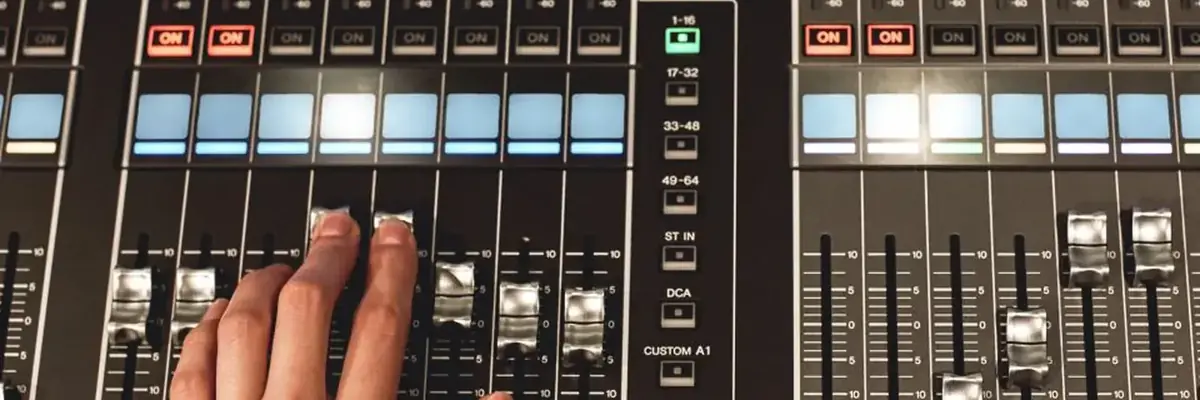
Normalizing audio is one gain change for the whole file, like moving a fader once and leaving it there. The balance, the dynamics, the tone and the stereo image stay as they were; only the overall level moves, unless the limiter has to catch a peak. For tone, use an online equalizer instead.
The same idea has many names: volume normalization, volume equalization, a sound normalizer, a volume normalizer or a volume leveler. In British English it is normalisation: audio normalisation, to normalise audio or normalise volume, done with a normaliser.
Peak normalization moves the single loudest sample to your target. It guarantees headroom but says nothing about how loud a file sounds: a quiet acoustic song and a dense rock master can share a peak and still sit 8 dB apart to the ear.
That is why players use loudness normalization: audio is measured the way a listener hears it, weighted for the ear, with silence gated out, averaged over the whole file. Files matched in LUFS play at about the same level.
- 1Peak: samples, stems, one-shots, anything that goes into another project.
- 2Loudness (LUFS): songs, podcasts, playlists, anything people hear back to back.
Not sure where a file stands? Read its integrated loudness and true peak with the LUFS meter before you normalize sound across a batch.
Digital audio stops at 0 dBFS, and the true peak between two samples can sit above the highest sample, so a file that looks safe can still clip once it is encoded to MP3 or AAC. This audio normalizer measures true peak with 4x oversampling, and the limiter turns just those few milliseconds down. When a file is too loud, normalization turns it down, which never clips, though it can not repair clipping already in the file.
Before you normalize audio, pick the level of the place it will be heard. Each platform sets its own playback rules and can change them.
- 1-14 LUFS: Spotify publishes this as its playback level; YouTube is commonly measured there too.
- 2-16 LUFS: commonly measured on Apple Music, and a common target for podcasts.
- 3-23 LUFS: EBU R 128, the European broadcast standard.
Releasing music? Platform targets and how much each service turns a song down are in Spotify LUFS and loudness penalty.
Most surprises when normalizing volume come from the order of steps. Normalize the finished bounce, not each stem, and keep a WAV copy rather than re-encoding one MP3 again and again. Songs written as a set keep their relative levels with Album; to master the set together, use album mastering.
A normalizer sets the level and stops there. To push a song louder on purpose, use make song louder; to finish a mix with EQ, compression and a platform target, try AI mastering, which the normalizer offers as the next step under Master it with AI.
FAQ
Audio Normalizer FAQ
Peaks, LUFS, batches and formats. For a full report on any file, try the audio analyzer.
It applies one gain change to a whole file so its peak or its loudness lands on a target. When you normalize audio in a batch to one LUFS target, the files play at about the same loudness.
Yes. This audio normalizer online runs in your browser with no sign-up and no watermark. Add files, normalize audio as often as you like and download WAV or MP3.
To normalize audio volume across a set, add every song, choose Loudness (LUFS) and a target such as -14, then download them all. Each song gets its own gain, so they come out at the same integrated loudness.
Loudness (LUFS) for anything people hear back to back, such as songs, episodes and playlists. Peak for samples and stems that go into another project, where you want known headroom.
For an audio normalizer the usual targets are -14 LUFS for Spotify, which publishes that level; about -16 for Apple Music, where it is commonly measured, and for podcasts; -23 for European broadcast. Keep the true-peak ceiling at -1 dBTP.
Not with the true-peak limiter on, which is the default: the limiter holds peaks under the ceiling, -1 dBTP by default. Turn it off and the list warns you if a file would clip.
Within 0.01 LU of the target when the limiter has nothing to do, within about 0.1 LU when it works. Very heavy limiting squashes the sound, and the list shows it in red; pick a lower target or master the file instead.
Yes, up to 30 at once. Each goes to the same target with its own gain; drag rows to reorder, and download them one by one or together as a ZIP.
Close. A volume leveler in a player or an operating system evens out whatever is playing, live. This tool writes new files at the target level, which then play the same everywhere; it does not change your computer's sound.
No. There is no audio normalization software to install: decoding, measuring, normalizing and encoding all happen in this browser tab, and no account is needed.
An MP3 is decoded, normalized and encoded again, which costs a little quality, and MP3 encoding can lift peaks by a few tenths of a dB. Download WAV when you will edit further.
Normalizing matches a target, so a file can go up or down. Making a song louder means pushing past its level on purpose with a limiter; for that, use make song louder.
No. The audio normalizer reads, measures and normalizes your files on your device, and the downloads are made there too.
WAV, MP3, FLAC, M4A, AAC, OGG, OPUS and AIFF, plus the audio of MP4, MOV and WebM videos: 0.5 seconds to 15 minutes and up to 200 MB per file, 8 minutes on a phone.

Start now
Normalize Audio Online, Free
Drop your files into the audio normalizer, pick a LUFS or peak target, and download every track at the same level, with peaks held under -1 dBTP and nothing uploaded.
Drop your audio here
or choose a file. It opens in the tool above and stays on your device.