Free, measured in your browser
Mastering Checklist: Check Your Mix and Master, Free
AI-Mastering.org turns this mastering checklist into readings in your browser, free: drop the mix you will master for headroom, sample and true peak, clipping and dynamics, then the master for loudness against Spotify's -14 LUFS and -1 dBTP. WAV, MP3, FLAC and 5 more formats, never uploaded.
- Free, no sign-up
- Mix and master checks
- 8 audio formats
- Never uploaded
Drop your tracks here
One song or a whole album. Get integrated LUFS, true peak and loudness range in seconds.
- WAV
- MP3
- FLAC
- M4A
- AAC
- OGG
- OPUS
- AIFF
Up to 200 MB and 15 minutes per file
Measured in your browser. The audio is never uploaded.
Or try a sample
Each loads a mix and its master, so you can compare the two.
AI-generated songs. The mixes were turned down to leave room for mastering; the masters are our free master.
- Integrated LUFS
- Short-term and momentary
- Loudness range (LRA)
- True peak, 4x oversampled
- mix peaks that leave headroom
- -6 to -3 dBFS
- the mix for mastering, exported
- 24-bit WAV
- at full scale: no clipping
- 0samples
- Spotify's official reference
- −14LUFS
- true peak ceiling after mastering
- −1dBTP
- of your audio uploaded
- 0bytes
The Mastering Checklist, Measured
Six checks from the mastering checklist that a file can answer by itself. Drop the mix first, then the master, and read each one off the meter.
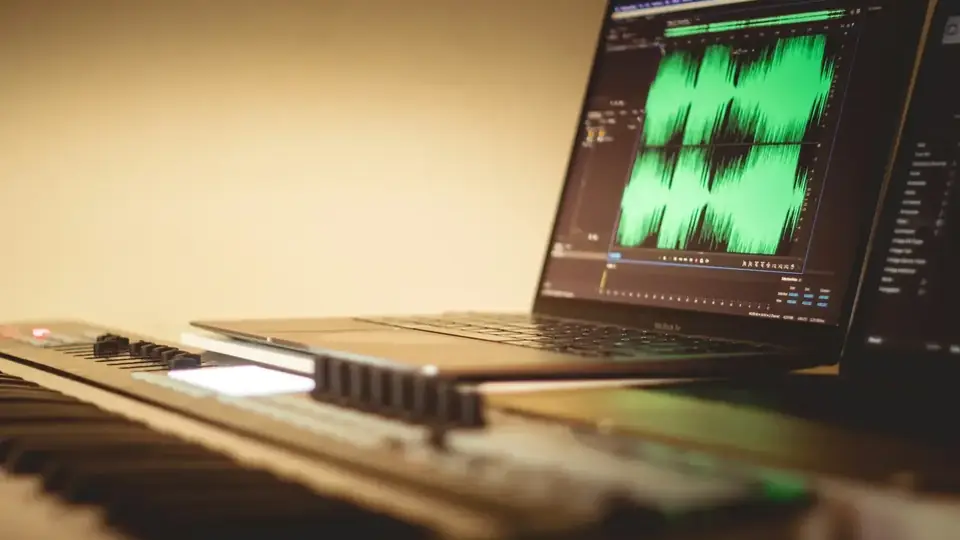
Sample peak (dBFS) and True peak (dBTP) show how much room the mix leaves before mastering. Our sample mix peaks at -8.8 dBFS: plenty. An export that touches 0.0 dBFS leaves the mastering stage nothing to work with.
The meter counts samples at full scale and where they sit; Show jumps there and zooms in. The same mix exported 10 dB hot with no limiter reads 519 samples at full scale in 151 spots: damage that mastering cannot undo.
A normalized export is easy to spot: its sample peak reads exactly 0.0 dBFS. Normalizing our mix raised it 8.8 dB, and its true peak was already +0.04 dBTP, over full scale between the samples, before any mastering.
PLR (true peak minus integrated loudness) and Loudness range show how squeezed the mix is. Pushing our cinematic mix 9 dB into a limiter took its PLR from 11.1 to 9.9 dB, and the dynamics line from plenty of room to fairly dense. Leave that to mastering.
Drop the master and read it against the platform in Compare with, Spotify at -14 LUFS by default. Our sample master reads -14.0 LUFS with peaks at -2.6 dBTP: at Spotify's reference and under its -1 dBTP ceiling.
Keep both files in one list: switching keeps the playback position, so you hear the same bar in each, with live Momentary and Short-term readouts at the playhead. Our master sits 5.2 to 5.9 LU over the mix, second by second.
How it works
How to Use This Mastering Checklist
Two files, one tab: the mix before mastering, then the master. Nothing leaves your device.
Check the mix export
Drop the file you will master on Drop your tracks here. Read Sample peak, True peak, the clipping line and PLR against the first four checks.
Master it
Master to a target opens the free mastering tool in your browser. Pick the platform there, compare at matched loudness, then download the master.
Check the master
Press Add files and drop the master next to the mix: loudness, true peak and the table show both. Then listen on headphones, a phone and a car.

Check the mix first. The numbers say what to fix.
- samples at full scale in our mix exported 10 dB hot, in 151 spots
- 519
- what Normalize added to the same mix, peaks up to 0.0 dBFS
- +8.8dB
- true peak of its free Spotify master, under the -1 ceiling
- −2.6dBTP
Measured
Pre-Mastering Checklist: One Mix, Three Exports
Our sample dance pop mix exported three ways and run through the pre-mastering checklist: as it should be, with Normalize left on, and 10 dB hot with no limiter.
Pre-mastering checkStarlight Signal, mix as exported
3/3checks passed
Ready to master8.8 dB of headroom, no clipping: this is the file to master
- Headroom: peaks under −3 dBFS: passed−8.8 dBFS
- No clipping: 0 samples at full scale: passed0 samples
- True peak under 0 dBTP: passed−8.8 dBTP
Only the first is a good mix for mastering.
How we measured
The normalized one touches 0.0 dBFS with its true peak over 0; the hot one clips 519 samples. Both are fixed by exporting again, not by mastering.
Guide
The Full Mastering Checklist: Mix, Export, Master, Release
Settle these in the session, before you export:
- 1Peaks around -6 to -3 dBFS: if the mix clips, pull the master fader down, not a limiter up.
- 2No limiter or clipper on the mix bus just to make it loud; keep processing that shapes the sound.
- 3Listen through for clicks, noise and bad edits: mastering makes them louder too.
Tone, stereo width and mono compatibility are measured by the audio analyzer.
The export settings that matter:
- 1WAV or AIFF, not MP3: a lossy file has already thrown detail away.
- 224-bit at the session's sample rate, 44.1 or 48 kHz, with no dither.
- 3Normalize off, so the peaks stay where you left them.
The mastering checklist for the finished file:
- 1Integrated loudness near the platform's level: Spotify's official -14 LUFS.
- 2True peak under -1 dBTP, or under -2 dBTP for a master louder than -14 LUFS.
- 3Compare with the mix at matched loudness, so louder doesn't fool you, then listen on headphones, a phone and a car.
Quiet mix? AI mastering masters it to -14 LUFS and -1 dBTP in your browser, with Match loudness for the comparison.
The last line of the mastering checklist: check the final file, not an earlier bounce, and export the format your distributor asks for, often a 16 or 24-bit WAV at 44.1 kHz: read its help pages. Releasing an EP or album? Album mastering masters the songs to one level, and Spotify LUFS sets each one against Spotify's -14 LUFS.
FAQ
Mastering Checklist FAQ
Headroom, export settings, loudness and what the meter can and cannot tell you.
A short list of checks for the mix before mastering and the master before release: headroom, clipping, export settings, loudness, true peak and a listen on several systems. This page measures the ones a file can answer.
Leave mix peaks around -6 to -3 dBFS. More is fine; touching 0 dBFS is not, because the mastering stage needs room for EQ and limiting.
Export 24-bit WAV at the session's sample rate, 44.1 or 48 kHz, without dither. The meter shows each file's bit depth, sample rate and format, so you can confirm the export.
No. Normalizing pushes the loudest sample to 0 dBFS and removes the headroom; ours ended with a true peak of +0.04 dBTP. Turn Normalize off in the export.
Not one that is only there for loudness: it squeezes the dynamics the mastering stage would work with. A limiter that is part of the sound you want can stay; say so if someone else masters it.
No. Clipped samples have lost the top of the wave, and mastering can only make them louder. Export the mix again with lower peaks.
Use WAV or AIFF if you can. An MP3 has already lost detail to lossy encoding. The meter reads MP3 fine, so you can still check one.
Loudness doesn't matter much; headroom does. Our sample mixes read about -20 LUFS with peaks near -8 dBTP, and mastering brings them up to the target.
For streaming, about -14 LUFS integrated with true peaks under -1 dBTP: Spotify's official reference. Check other services with YouTube LUFS or Apple Music LUFS.
No. It measures level, peaks, clipping and dynamics. Tone and balance need your ears and a reference track; the audio analyzer adds a tone and stereo check.
No. Decoding and measuring happen in your browser tab; neither the audio nor the numbers leave your device. No account is needed.
WAV, MP3, FLAC, M4A, AAC, OGG, OPUS and AIFF, plus the audio of MP4, MOV and WebM: 2 seconds to 15 minutes and up to 200 MB each (8 minutes on a phone), up to 40 files at once.
Start now
Run the Mastering Checklist on Your Mix
Drop the mix you are about to master and the mastering checklist reads its headroom, peaks, clipping and dynamics in seconds; drop the master for loudness and true peak. Free, no account, nothing uploaded.
Drop your audio here
or choose a file. It opens in the tool above and stays on your device.
Tools for Every Step
Every mastering checklist step has a tool: measure, master, then check the platforms.