For albums and EPs, up to 20 songs
Free Online Album Mastering: 20 Songs, One Loudness
Album mastering on AI-Mastering.org turns up to 20 songs into a release-ready album in your browser, free: each song is checked, then mastered to one target, such as -14 LUFS with a -1 dBTP ceiling for Spotify. Download one ZIP of WAV or MP3 320 in album order. No sign-in, nothing uploaded.
- Up to 20 songs, 80 minutes
- One target for every song
- ZIP of WAV or MP3 320
- Free, no sign-in, no upload

- Add songs · 1/4
- Check
- Master
- Download
Drop your album's songs
Every song is mastered to the same target, so the album plays at an even level. Songs are checked first, then mastered one after another.
- WAV
- MP3
- FLAC
- M4A
- AAC
- OGG
- OPUS
- AIFF
Up to 20 songs and 80 minutes in total · each up to 200 MB and 15 minutes
Your songs stay in your browser. The audio is never uploaded.
Or try a sample
Sample mixes are AI-generated songs, turned down to leave room for mastering.
- up to 80 minutes in total
- 20songs
- for every song on the album
- 1target
- spread in our 11-song test, was 4.9 LU
- 0.1LU
- Master album free, no sign-in
- Free
- per song for AI Pro album
- 1credit
- numbered in album order
- ZIP
What Album Mastering Does to Every Song
Album mastering here works on the record as a whole: one target, one style and one intensity, applied song by song in your browser.
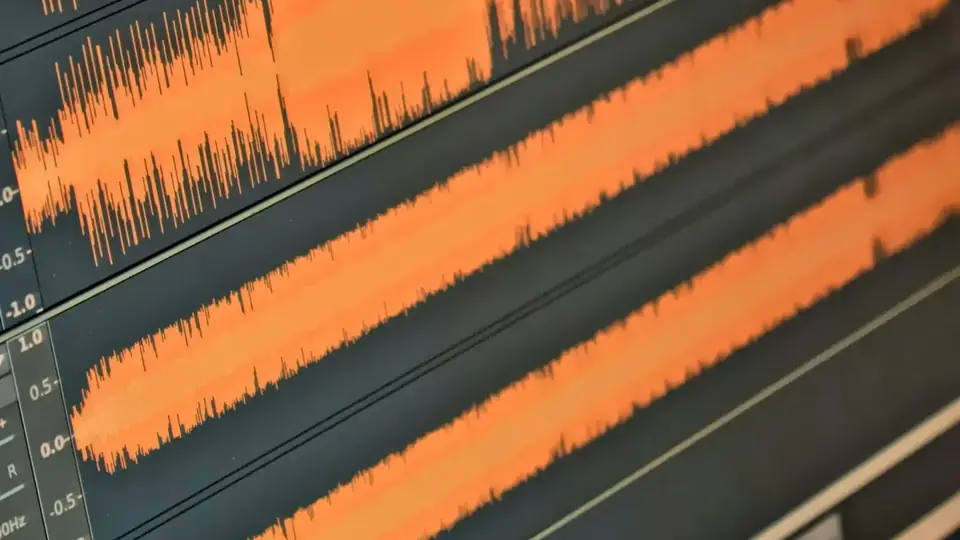
Pick where the album will play and every song is mastered to that loudness, such as -14 LUFS for Spotify with peaks under -1 dBTP. In our 11-song test the spread between songs went from 4.9 LU to 0.1 LU.
Songs are measured one after another. Each row shows the loudness, the true peak and the top issues, so a song that is far quieter, clipped or harsh stands out before you master the album.
Master album free uses Balanced at medium intensity. AI Pro album makes an AI plan per song with the style and intensity you pick, previews free with a soft watermark, then costs 1 credit per song you unlock.
The Album loudness card shows the range of the masters, the spread between songs before and after, and the highest true peak. It also says when a song stopped short of the target because going louder would squash it.
Pick WAV 24-bit, WAV 16-bit or MP3 320, then press Download all as ZIP, or save one song from its row. Files are numbered in album order for your distributor.
How it works
How to Master an Album in Three Steps
Online album mastering with no account and nothing to install. The same three steps master an EP.
Add the songs
Press Choose songs or drop up to 20 files, 80 minutes in total. Use the arrows to set the running order.
Pick one target and master
Answer Where will you release it? once for the album, then press Master album free, or AI Pro album for an AI plan per song.
Check, then download
Press a song's cover to compare Original and Mastered, read Album loudness, then press Download all as ZIP.

One album, one level, from the first song to the last.
- to master 11 songs, 36 minutes in all, in our test
- 44.6s
- where every song landed in that test, within 0.1 LU
- −14.0LUFS
- the highest true peak on the mastered album
- −1.1dBTP
Measured
Album Mastering, Measured on 11 Songs
11 AI-generated songs as exported, 36 minutes, through Master album free for Spotify. They started 4.9 LU apart and ended 0.1 LU apart.
Spread between songs11 songs, mastered for Spotify
0.1LU
−14.1 to −14.0 LUFS every song at Spotify’s -14 LUFS reference, one level for the album
- Loudest song
- −14.0LUFS
- Quietest song
- −14.1LUFS
- Highest true peak
- −1.1dBTP
- Peaks over 0 dBTP
- 0of 11 songs
Measured on this page in November 2026 (Chrome on an Apple Silicon Mac).
How we measured
Before: -14.2 to -9.3 LUFS, 8 of 11 with true peaks above 0 dBTP. After: -14.1 to -14.0 LUFS, highest true peak -1.1 dBTP. Checking took 11.2 s and mastering 44.6 s; slower devices take longer.
Guide
Album Mastering Guide: How to Master an Album or EP

Album mastering makes separate songs play like one record, so nobody reaches for the volume between tracks. It does not mean the same EQ on every song: here each song gets its own measured plan, aimed at one shared target with one style.
Before you add the songs:
- 1Final mixes only: changing a mix later means mastering that song again.
- 2Export WAV at one sample rate, 24-bit if you can, with peaks a few dB under 0 dBFS.
- 3No limiter on the mix bus, and file names that match the running order.
- 4Check every mix with the LUFS meter if one sounds far louder, or run the full mastering checklist.
Gaps, fades and crossfades between songs are not added here. Set them in your DAW before you export the mixes.
To master an EP, pick Spotify (-14 LUFS, the level Spotify documents) and keep one target for every song. A phone handles 6 songs and 25 minutes, enough for most EPs; a full album needs a computer.
Album mastering moves each song as a whole. A buried vocal or one harsh synth belongs in the mix (mixing vs mastering). With the Loud target (-9 LUFS), a dense song that would need more than 6 dB of limiting stops at a safe level instead, and the report says so.
FAQ
Album Mastering Questions
Limits, loudness and what the album tool does not do.
Album mastering finishes every song of a record together, so they play at an even level as one release. Here that means one target, style and intensity for up to 20 songs.
Add the songs, pick a target and press Master album free: Balanced style, no sign-in, and WAV or MP3 320 downloads with no watermark.
Up to 20 songs and 80 minutes on a computer, or 6 songs and 25 minutes on a phone. Each song can be up to 200 MB and 15 minutes (8 on a phone).
Each song is mastered to the same target, and Album loudness shows the result: our 11 songs landed 0.1 LU apart. A song that would need more than 6 dB of limiting stops at a safe level, and the card says so.
An AI plan per song and the five styles with intensity. Previews are free with a soft watermark; each song you unlock costs 1 credit, which is 50¢ a song in a 10-pack. More in cheap mastering online.
Not in the album tool: it uses one style for every song and has no reference match. For a reference, master songs one at a time with reference mastering, part of AI Pro Master in our AI mastering tool.
No, and it writes no track metadata, CD text or DDP. Set gaps and fades in your DAW; the files come numbered in album order.
Spotify (-14 LUFS) suits most streaming releases. Apple Music masters to -16 LUFS, the commonly measured Sound Check level. Loud (-9 LUFS, -2 dBTP) is our level for DJs and players without normalization.
No. An EP is a short album: master an EP with one target so the songs match. On a phone it holds 6 songs and 25 minutes.
Look at its row: level, peaks and tone issues show there. If it is a balance problem, fix the mix and add it again. Just need equal volume without mastering? Try the audio normalizer.
In our test, 11 songs (36 minutes) took 11.2 s to check and 44.6 s to master. Slower devices take longer, and AI Pro plans are rate limited, so a long AI Pro album takes minutes.
No. They are mastered in your browser and only measurements go to the server for the plan. The masters live in the open page, so download them before you reload or close it.
Start now
Try Free Album Mastering on Your Record
Add your songs, pick one target and master the whole record in your browser. Album mastering here is free, needs no sign-in and gives you one ZIP in album order.
Drop your audio here
or choose a file. It opens in the tool above and stays on your device.
More Tools Around Album Mastering
Check, compare and release the songs on your record.
 AI MasteringMaster a finished mix for streaming, right in your browser.
 Cheap Mastering OnlineFree masters, AI Pro from 50 cents a song, compared with the usual prices.
 Suno MasteringMaster AI songs for release: fuller, clearer, at streaming loudness.
 Audio NormalizerNormalize one or many files to the same loudness, no clipping.